Imagine your brilliant AI model, trained to perfection, poised to revolutionize how businesses operate. It’s ready to analyze market trends, power customer service, or even automate complex recruitment tasks. But how do you get that powerful intelligence from your dev environment into the hands of real users? Plonking it directly onto the internet is like handing over your secret recipe to the world without a proper storefront, security, or even a basic menu. It's inefficient, insecure, and simply won't scale.
This is where the magic of API gateways and microservices comes in. They're not just fancy tech terms; they're the foundational architecture that transforms your raw AI power into robust, reliable, and scalable services. If you've ever wondered how the big players serve millions of AI inferences per second, you're looking at a carefully constructed system built on these very principles.
The Digital Backbone: Understanding the Core Concepts
Before we dive into orchestrating AI, let's get cozy with the fundamental building blocks. Think of this as laying the groundwork for a skyscraper – you need strong foundations before you can build up.
What is an API Gateway? Your AI's Front Door and Security Guard
At its heart, an API Gateway acts as a single entry point for all client requests in an application. Instead of clients needing to know the complex network addresses of individual services, they simply talk to the gateway.
Imagine you're running a bustling online store.
- Without a gateway: Customers might have to walk to separate buildings for "T-shirts," "Shoes," and "Accessories." They need to know where each store is and how to get there. It's confusing and inefficient.
- With a gateway: There's one grand entrance for your entire "mall." You tell the guard (the API Gateway) what you're looking for, and they direct you to the right department. They also check your ID, prevent troublemakers, and make sure everyone has a smooth experience.
For your AI models, an API Gateway does much more than just routing. It’s your first line of defense and management layer.
Key Roles of an API Gateway:
- Traffic Management: Like a traffic cop, it directs incoming requests to the appropriate AI microservice.
- Security & Authentication: Verifies user identities and enforces security policies, ensuring only authorized applications can access your AI models.
- Rate Limiting: Prevents abuse and ensures fair usage by controlling the number of requests a client can make within a certain time frame.
- Load Balancing: Distributes incoming requests across multiple instances of your AI services, preventing any single service from becoming overwhelmed.
- Request/Response Transformation: Can modify requests or responses on the fly, tailoring them to what clients expect or what internal services require.
- Analytics & Monitoring: Gathers valuable data on API usage, performance, and errors.
What are Microservices? Your AI in Specialized, Agile Units
Microservices architecture is an approach where a complex application is broken down into smaller, independent, and loosely coupled services. Each service performs a specific business function and communicates with others, often via APIs.
Continuing our mall analogy:
- Monolithic (traditional approach): Imagine one giant department store where everything – clothes, electronics, food – is intertwined. If the clothes section has a problem, the entire store might shut down. Updating one part is a massive, risky endeavor.
- Microservices: Now picture your mall with independent boutiques. Each boutique (microservice) specializes in one thing – "AI for Text Generation," "AI for Image Recognition," "AI for Predictive Analytics." If the "Text Generation" boutique needs an update, only that specific store closes briefly, while the rest of the mall operates normally.
Benefits of Microservices for AI:
- Scalability: You can scale individual AI models (microservices) independently based on their demand, rather than scaling the entire application.
- Flexibility: Different AI models can be built using different programming languages, frameworks, or even hardware, optimizing each for its specific task.
- Resilience: If one AI microservice fails, it doesn't bring down the entire system. Other services continue to operate.
- Faster Deployment: Updates or new versions of an AI model can be deployed without affecting other services.
What is AI Model Serving? Delivering Intelligence on Demand
AI Model Serving is the process of getting a trained machine learning model deployed and accessible so that it can receive new data and make predictions or generate outputs in real-time or near real-time. It's the operational stage where your model moves from research and training to practical application.
Key Requirements for AI Model Serving:
- Low Latency: Especially for interactive AI applications (like chatbots or real-time recommendations), responses need to be fast.
- High Throughput: The ability to handle many prediction requests concurrently.
- Scalability: Adjusting resources based on demand fluctuations.
- Reliability: Ensuring the model is always available and produces consistent results.
- Cost Efficiency: Optimizing resource usage to keep operational costs down.
The Critical Distinction: API Gateway vs. AI Gateway
Here’s where things get interesting, especially with the rise of sophisticated AI models like Large Language Models (LLMs). While a traditional API Gateway is a general-purpose traffic controller, an AI Gateway is specifically designed for the unique demands of AI workloads.
The article you're reading right now, like many others, often relies on principles of AI-driven content analysis for AI Keyword Content Gap Analysis. By understanding how to identify relevant keywords and content gaps, we ensure our content directly addresses your needs.
Think of it this way:
- API Gateway (The Generalist): It's great at managing HTTP requests, ensuring security, and routing to different services. It treats all requests as more or less the same, caring mainly about headers, URLs, and basic payload types.
- AI Gateway (The Specialist): It understands the nature of AI requests. It knows about tokens, model versions, different AI providers (e.g., OpenAI, Anthropic, custom models), data formats specific to ML inference, and even critical cost implications of different model calls.
It functions as an advanced proxy specifically for machine learning model requests, offering features such as:
- Model-Aware Routing: Intelligently directs requests to the best available model, possibly across different providers or internal versions, based on cost, latency, or performance requirements.
- Prompt Engineering & Transformation (for LLMs): Can modify prompts, add context, or standardize input/output formats across various LLMs.
- Cost Optimization: Monitors token usage and can even re-route requests to cheaper models if a higher-fidelity model isn't strictly necessary.
- Built-in Fallbacks for Model Failures: Automatically switches to alternative models if one fails or becomes unavailable.
- Token-based Billing & Quotas: Manages granular access and consumption based on AI-specific metrics like tokens.
- Security for AI-Specific Threats: Beyond generic API security, it can help mitigate risks like prompt injection, adversarial attacks, or data leakage through AI endpoints.
This distinction is crucial. While a standard API Gateway can serve basic AI microservices, an AI Gateway unlocks true optimization, cost control, and specialized management for complex, high-volume AI deployments.
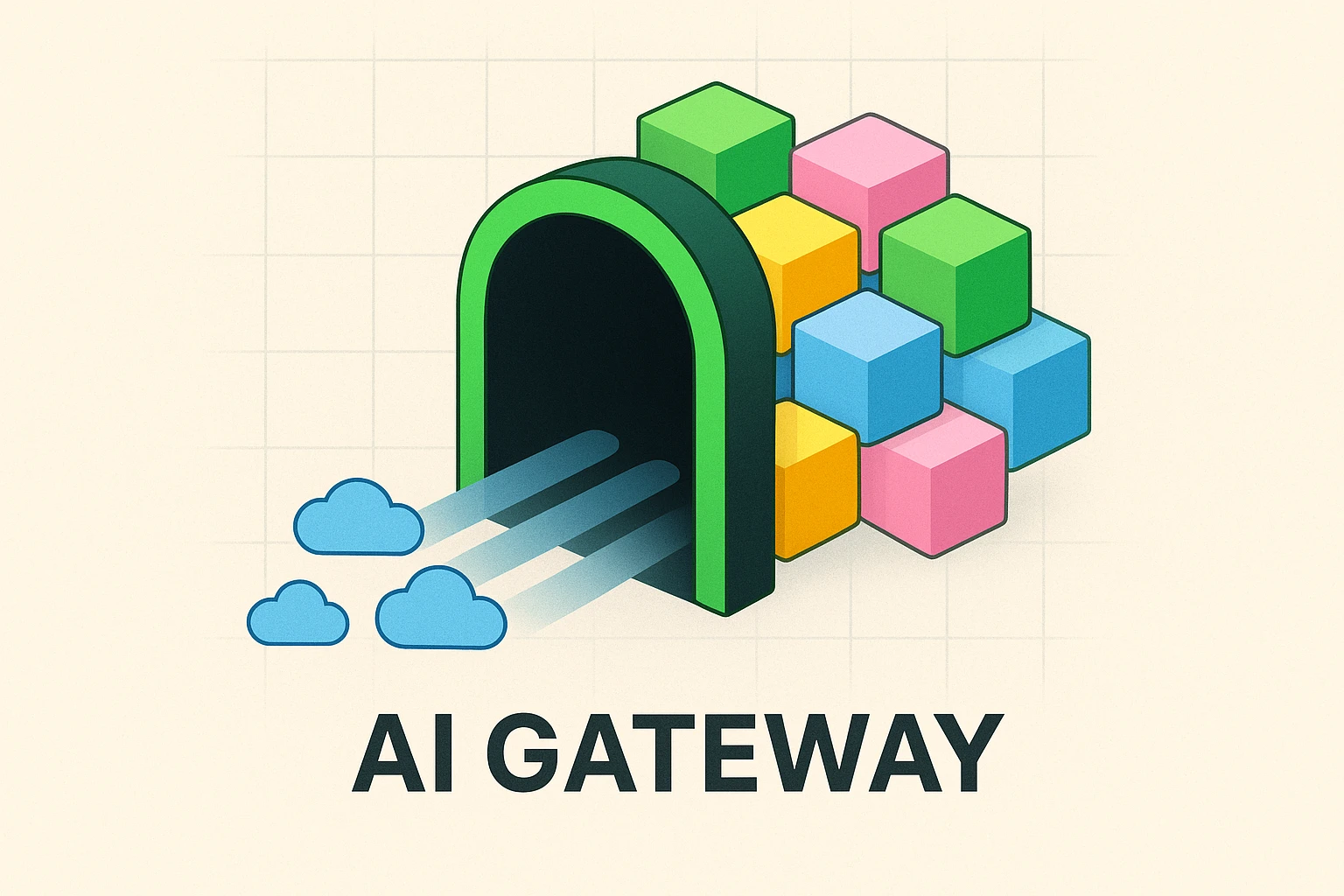
Here's a visual to help clarify the role of an AI Gateway in a modern AI architecture:

Building the Future: How to Implement This Architecture for AI
Now that we understand the pieces, let's look at how they fit together to serve your AI models effectively.
Designing Microservices for Your AI Models
The first step is to encapsulate your trained AI models within independent microservices. Each microservice should:
- Expose an Inference Endpoint: A clear API endpoint (e.g.,
/predict,/generate) that accepts input data and returns model predictions. - Containerize Your Model: Package your model, its dependencies, and the inference code into a Docker container. This ensures portability and consistent execution across environments.
- Optimize for Performance: Ensure your microservice can load the model efficiently, handle concurrent requests, and utilize appropriate hardware (e.g., GPUs if needed).
- Graceful Error Handling: Implement robust error handling to inform clients about issues without crashing the service.
For instance, a microservice for a sentiment analysis model might accept a piece of text and return a "positive," "negative," or "neutral" label. Another microservice for image recognition might take an image and return a list of identified objects.
Implementing the API Gateway (or AI Gateway)
Choosing the right gateway is critical. Popular choices include:
- Cloud-native options: AWS API Gateway, Azure API Management, Google Cloud Apigee.
- Open-source/Self-hosted: Kong, Envoy, Apache APISIX.
- Managed AI Gateways: Some platforms are emerging with more specialized AI Gateway capabilities.
Your gateway implementation should focus on:
- Routing: Configure routes that map incoming requests to the correct AI microservice. For example,
api.yourcompany.com/v1/sentimentroutes to your sentiment analysis microservice. - Authentication & Authorization: Secure your AI endpoints using API keys, OAuth tokens, or JWTs. This integration is crucial for protecting sensitive AI models and data.
- Rate Limiting: Implement rate limits to prevent abuse and manage the load on your AI services. You might have different limits for different tiers of users.
- Caching: For predictable AI model outputs, consider caching results at the gateway level to reduce load on your microservices and improve latency.
- Request/Response Transformation: If your AI models expect a specific input format (e.g., a certain JSON structure), the gateway can transform client requests before they reach the microservice. Similarly, it can format responses before sending them back to the client.
The principles of request transformation at the gateway level aren't just for AI. Technologies that enhance website performance, like those discussed in AI Site Speed Analysis Tools, can also leverage transformation for optimal delivery and faster user experiences.
Here's an illustration of how a request typically flows through this architecture:
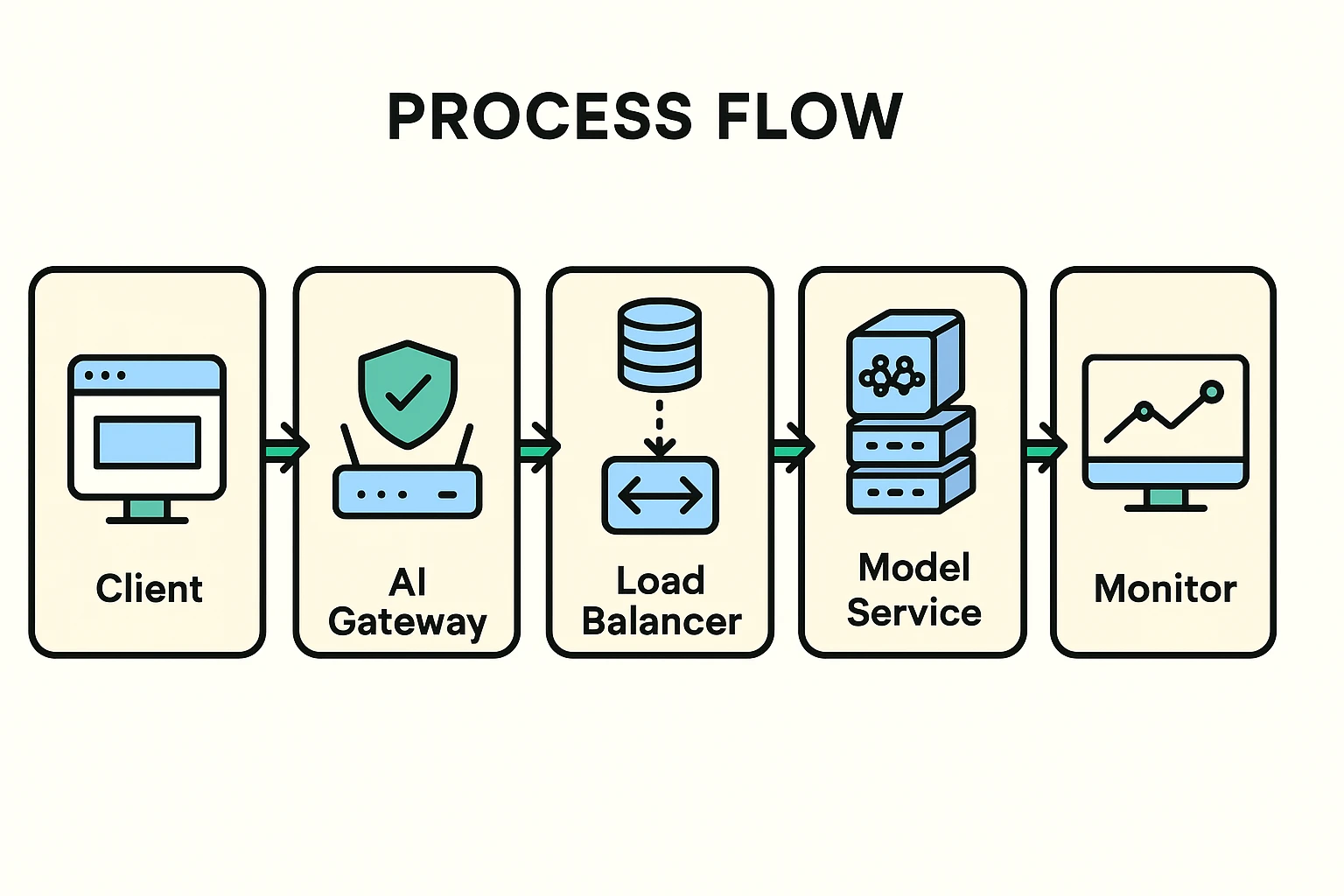
Scalability and Resilience
The combination of API Gateways and microservices intrinsically supports scalability and resilience:
- Horizontal Scaling: When demand for a specific AI model increases, you can simply spin up more instances of that particular microservice. The API Gateway, along with a load balancer, will automatically distribute incoming requests across these new instances.
- Auto-Scaling: Most cloud environments offer auto-scaling groups that can automatically adjust the number of microservice instances based on predefined metrics like CPU utilization or request queue length.
- Circuit Breakers & Retries: Implement circuit breakers within your microservices to prevent cascading failures. If a downstream service is struggling, the circuit breaker stops sending requests, allowing it to recover. Retries can handle transient network issues.
- Graceful Degradation: Design your application to continue functioning, perhaps with reduced features or slower responses, even if some AI services are unavailable.
Achieving Mastery: Advanced Considerations for Production-Ready AI
Beyond the basics, true mastery of this architecture for AI involves deep dives into security, observability, and efficient management.
Security Best Practices for AI APIs
Security for AI models goes beyond standard API protection. You need to consider:
- Adversarial Attacks: E.g., slight modifications to input data that trick a model into making incorrect predictions. While the gateway can't fully prevent these, it can monitor for suspicious patterns or block known malicious payloads if they manifest in specific forms.
- Prompt Injection (for LLMs): Malicious inputs designed to manipulate LLMs into unintended behavior. An AI Gateway can implement specific rules or even leverage smaller, purpose-built models to detect and sanitize prompts.
- Data Leakage/Privacy: Ensure sensitive user data or model outputs are not exposed. The gateway can enforce data masking or encryption policies.
- Unauthorized Model Access: Granular access controls at the gateway ensure only authorized users/applications can invoke specific AI models.
- API Key Management: Securely manage and rotate API keys or leverage more robust authentication mechanisms like OAuth.
Observability for AI Model Serving
If you can't monitor it, you can't manage it. For AI models, observability means:
- Logging: Centralized logging of all requests, responses, and errors at both the gateway and microservice level. Crucial for debugging and auditing.
- Monitoring (Key Metrics):
- Gateway Metrics: Request volume, latency, error rates, CPU/memory usage of the gateway itself.
- Microservice Metrics: Inference latency of each AI model, throughput, GPU utilization, memory usage, error rates (e.g., model inference failures).
- AI-Specific Metrics: Token usage (for LLMs), cost per inference, data drift detection (monitoring input data distributions over time), model performance metrics (e.g., accuracy, precision if real-time validation is possible).
- Tracing: Distributed tracing (e.g., OpenTelemetry) helps you follow a single request across multiple services, invaluable for diagnosing performance bottlenecks in complex AI pipelines.
Versioning and Deployment Strategies
AI models evolve, and so should your deployment strategy:
- Semantic Versioning: Treat your AI models like software and apply version numbers (e.g., v1, v2). The API Gateway can then route requests to specific model versions.
- Blue-Green Deployments: Maintain two identical production environments ("Blue" and "Green"). Deploy new model versions to "Green," test thoroughly, and then switch traffic instantly from "Blue" to "Green" via the gateway. This minimizes downtime.
- Canary Releases: Gradually roll out a new model version to a small subset of users (e.g., 5%) while the majority still uses the old version. Monitor performance and error rates of the new version. If all looks good, gradually increase traffic. This significantly reduces risk.
- A/B Testing: Use the gateway to direct different user segments to different model versions (or even entirely different models) to compare their effectiveness and impact on business KPIs.
These deployment strategies are equally critical for ensuring that any AI-driven automation, such as the kind discussed in our No-Code AI Technical SEO Automation article, is rolled out smoothly and without disruption.
Here's a comprehensive view of how these components form a production-ready framework:

Cost Optimization
AI inference can be expensive, especially with large models. Use your gateway and microservices architecture to optimize costs:
- Intelligent Routing: Route less critical or less complex requests to smaller, cheaper models if appropriate, managed by your AI Gateway.
- Caching: As mentioned, caching frequent inference results significantly reduces the number of actual model calls.
- Dynamic Scaling: Only pay for the compute resources you need. Auto-scaling ensures resources are provisioned during peak times and scaled down during low-demand periods.
- Spot Instances/Serverless: Leverage cost-effective compute options that integrate well with microservices (e.g., AWS Lambda, Azure Functions for smaller models, or spot instances for larger ones).
Common Questions About Scaling AI with Gateways and Microservices
Q1: What's the biggest benefit of using microservices for AI models?
The biggest benefit is independent scalability and resilience. You can scale specific AI models as needed, without affecting others, and a failure in one model won't bring down your entire AI application. This dramatically improves operational efficiency and uptime.
Q2: Can I use a regular API Gateway for serving AI models, or do I always need an AI Gateway?
You can use a regular API Gateway for basic AI model serving, especially for simple models with consistent input/output. However, for complex scenarios, managing multiple models across different providers, optimizing costs, or handling LLM-specific features like prompt engineering, an AI Gateway offers specialized functionality that will save you significant development and operational overhead.
Q3: How do API Gateways help with AI model versioning?
API Gateways can route traffic based on URL paths (e.g., /v1/model vs. /v2/model), headers, or even query parameters. This allows you to deploy multiple versions of your AI model simultaneously and direct clients to the appropriate version, facilitating controlled rollouts and A/B testing.
Q4: What are some common pitfalls to avoid when implementing this architecture for AI?
- Over-microservices-ing: Don't break down your AI application into too many tiny services if it doesn't provide a clear benefit. Find the right granularity.
- Ignoring Observability: Lack of proper logging, monitoring, and tracing will make debugging and performance tuning a nightmare.
- No Load Testing: Assume your AI models might become popular. Stress-test your entire pipeline (gateway + microservices) to understand its breaking points before going live.
- Security Afterthought: Don't wait until deployment to think about security. Integrate it from the design phase.
Q5: How does this architecture help with "AI-first" business strategies?
By providing a robust, scalable, and manageable way to deploy AI, this architecture enables businesses to rapidly experiment with and integrate AI into many parts of their operations. It means AI isn't just a lab project, but a core, accessible component of your products and services, accelerating your journey to becoming an AI-first entity.
Your Path to Scalable AI Implementation
Deploying AI models reliably and at scale isn't an overnight task, but the combination of API gateways (especially specialized AI Gateways) and microservices provides a proven, powerful blueprint. By understanding these concepts and adopting best practices, you move beyond mere experimentation to truly operationalize your AI. You'll gain:
- Robustness: Your AI services will be more resilient to failures.
- Scalability: You can effortlessly handle fluctuating demand.
- Security: Your models and data will be better protected.
- Manageability: You'll have better control and visibility over your AI deployments.
This foundational knowledge is your first step towards transforming your AI capabilities into tangible business impact. Ready to dive deeper into practical implementations? Explore how you can tailor these strategies to your specific business needs and build your AI-first future.
Join Our Growing AI Business Community
Get access to our AI Automations templates, 1:1 Tech support, 1:1 Solution Engineers, Step-by-step breakdowns and a community of forward-thinking business owners.

Latest Blogs
Explore our latest blog posts and insights.